
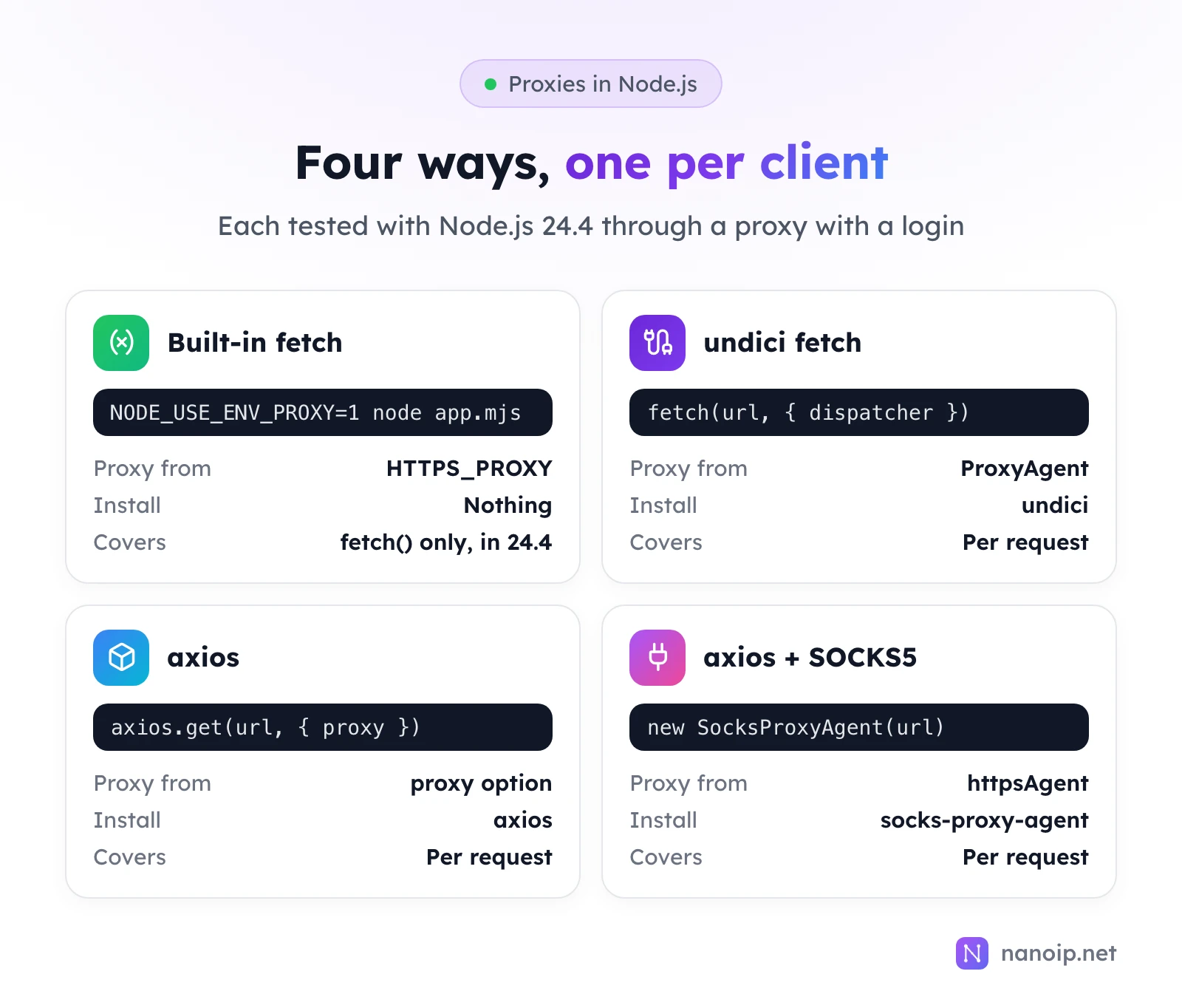
Node.js can send requests through a proxy in four common ways: the built-in fetch reading HTTPS_PROXY when you set NODE_USE_ENV_PROXY=1, undici's fetch with a ProxyAgent, axios with its proxy option, and axios with socks-proxy-agent for SOCKS5. All four take a username and password. Our tests turned up two traps: the built-in fetch ignores HTTPS_PROXY unless you opt in, and it rejects a ProxyAgent from the npm undici package.
1. Built-in fetch with environment variables
Node.js 24 can route its built-in fetch through the proxy in HTTPS_PROXY, but only when you turn it on with NODE_USE_ENV_PROXY=1. Without it, our request went out directly even though HTTPS_PROXY was set.
const response = await fetch('https://ipinfo.io/json');
console.log(await response.json());NODE_USE_ENV_PROXY=1 HTTPS_PROXY="http://USERNAME:PASSWORD@HOST:PORT" node env-fetch.mjsThis is the least code, and it keeps proxy details out of your source. Two limits from our test on Node.js 24.4: it covered fetch() only (a request made with https.get() in the same setup still connected directly), and there is no per-request choice of proxy. Encode special characters in the password (@ is %40, : is %3A), since the login sits inside the URL.
2. undici fetch with a ProxyAgent
For a proxy per request, install undici and pass a ProxyAgent as the dispatcher:
npm install undiciimport { fetch, ProxyAgent } from 'undici';
const proxy = new ProxyAgent('http://USERNAME:PASSWORD@HOST:PORT');
const response = await fetch('https://ipinfo.io/json', { dispatcher: proxy });
console.log(await response.json());Import fetch from undici as well. When we passed this ProxyAgent to Node's built-in fetch instead, the request failed with invalid onRequestStart method: the built-in fetch is a different undici version and cannot use the npm package's agent.
3. axios with the proxy option
axios has its own proxy option, with the login as a separate object, so no encoding is needed:
import axios from 'axios';

const response = await axios.get('https://ipinfo.io/json', {
  proxy: {
    protocol: 'http',
    host: 'HOST',
    port: PORT,
    auth: { username: 'USERNAME', password: 'PASSWORD' },
  },
  timeout: 15_000,
});
console.log(response.data);
Replace PORT with the number, without quotes. In our test with axios 1.20, https:// sites went through a proper tunnel (the proxy logged a CONNECT), so the old advice to replace the option with an agent for HTTPS is no longer needed.
4. SOCKS5 with axios
For SOCKS5, use socks-proxy-agent and turn off axios's own proxy handling:
npm install axios socks-proxy-agentimport axios from 'axios';
import { SocksProxyAgent } from 'socks-proxy-agent';
const agent = new SocksProxyAgent('socks5h://USERNAME:PASSWORD@HOST:PORT');
const response = await axios.get('https://ipinfo.io/json', {
httpAgent: agent,
httpsAgent: agent,
proxy: false,
timeout: 15_000,
});
console.log(response.data);With socks5h://, our test proxy received the hostname and did the DNS lookup itself. SOCKS5 vs HTTP proxies explains when SOCKS5 is the better choice.
Handle proxy errors
import { fetch, ProxyAgent } from 'undici';

const proxy = new ProxyAgent('http://USERNAME:PASSWORD@HOST:PORT');

try {
  const response = await fetch('https://ipinfo.io/json', {
    dispatcher: proxy,
    signal: AbortSignal.timeout(15_000),
  });
  console.log((await response.json()).ip);
} catch (error) {
  console.error('Request failed:', error.cause?.message ?? error.message);
}
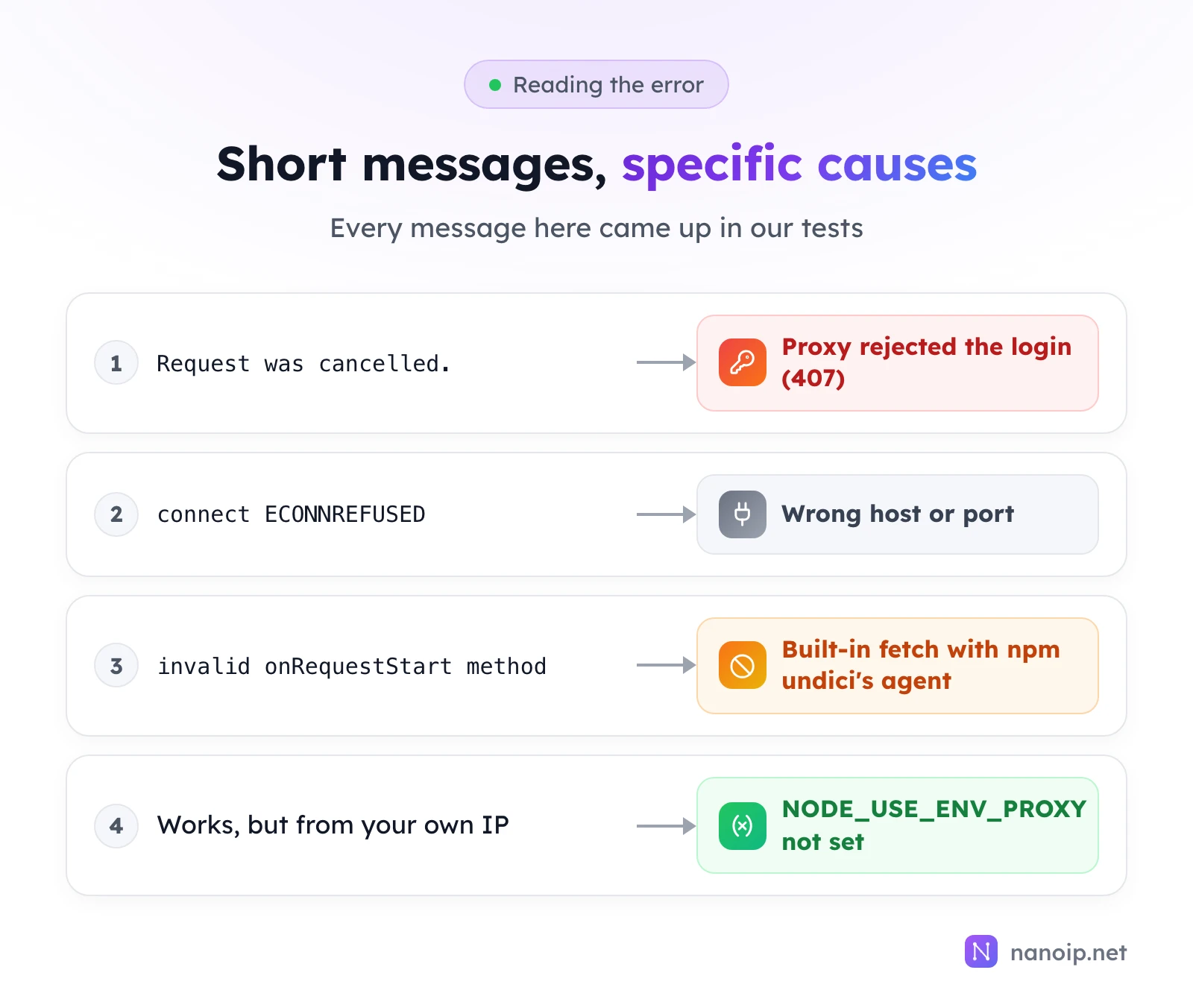
fetch throws a generic fetch failed; the reason is in error.cause. The messages are short, so here is what they meant in our tests:
| Message | Cause |
|---|---|
Request was cancelled. | The proxy rejected the username or password (our test proxy logged a 407) |
connect ECONNREFUSED HOST:PORT | Wrong host or port, or nothing listening there |
invalid onRequestStart method | Built-in fetch used with npm undici's ProxyAgent |
| No error, but your own IP | NODE_USE_ENV_PROXY not set, or the client ignores the environment |
axios is clearer about a wrong login: it threw Request failed with status code 407 when we used it with an agent. How to fix proxy error 407 goes through the causes.
Rotating IPs and kept-alive connections
Node clients keep connections alive and reuse them. For https:// sites, a rotating proxy can only switch the exit IP when a new connection opens, so requests on one kept-alive connection share one IP. In our test, three fetch calls through one ProxyAgent opened a single tunnel; with a new ProxyAgent per call, they opened three. So if every request needs a fresh IP, create a new agent per request, and use a sticky route when a task should keep one IP. Rotating vs sticky sessions explains the two.
Using NanoIP proxies in Node.js
- Residential and mobile:
https://USERNAME:PASSWORD@gateway.nanoip.net:1111with the login of a route from Dynamic Routes; with axios, useprotocol: 'https',host: 'gateway.nanoip.net'andport: 1111. Large collection jobs are covered in web scraping. - ISP:
http://USERNAME:PASSWORD@HOST:PORTwith the IP's own host and port, orsocks5h://with the same login.
Authentication is by username and password only, so the same code runs on any server. For a quick check of the proxy outside Node, see how to use curl with a proxy.
Frequently asked questions
Does Node.js use the system proxy settings?
No. Node.js does not read the macOS or Windows proxy settings. Only fetch with NODE_USE_ENV_PROXY=1, or a client you configure, uses a proxy.
Can I set one proxy for all undici requests?
Yes: setGlobalDispatcher(new ProxyAgent(url)) from undici applies it to every call of undici's fetch without a dispatcher option; it worked in our test. Keep the fetch import from undici too, for the reason above.
Which approach should I use for scraping?
The one that matches your HTTP client. If you are starting fresh, undici's fetch with a ProxyAgent gives you a proxy per request with no extra dependencies beyond undici.