
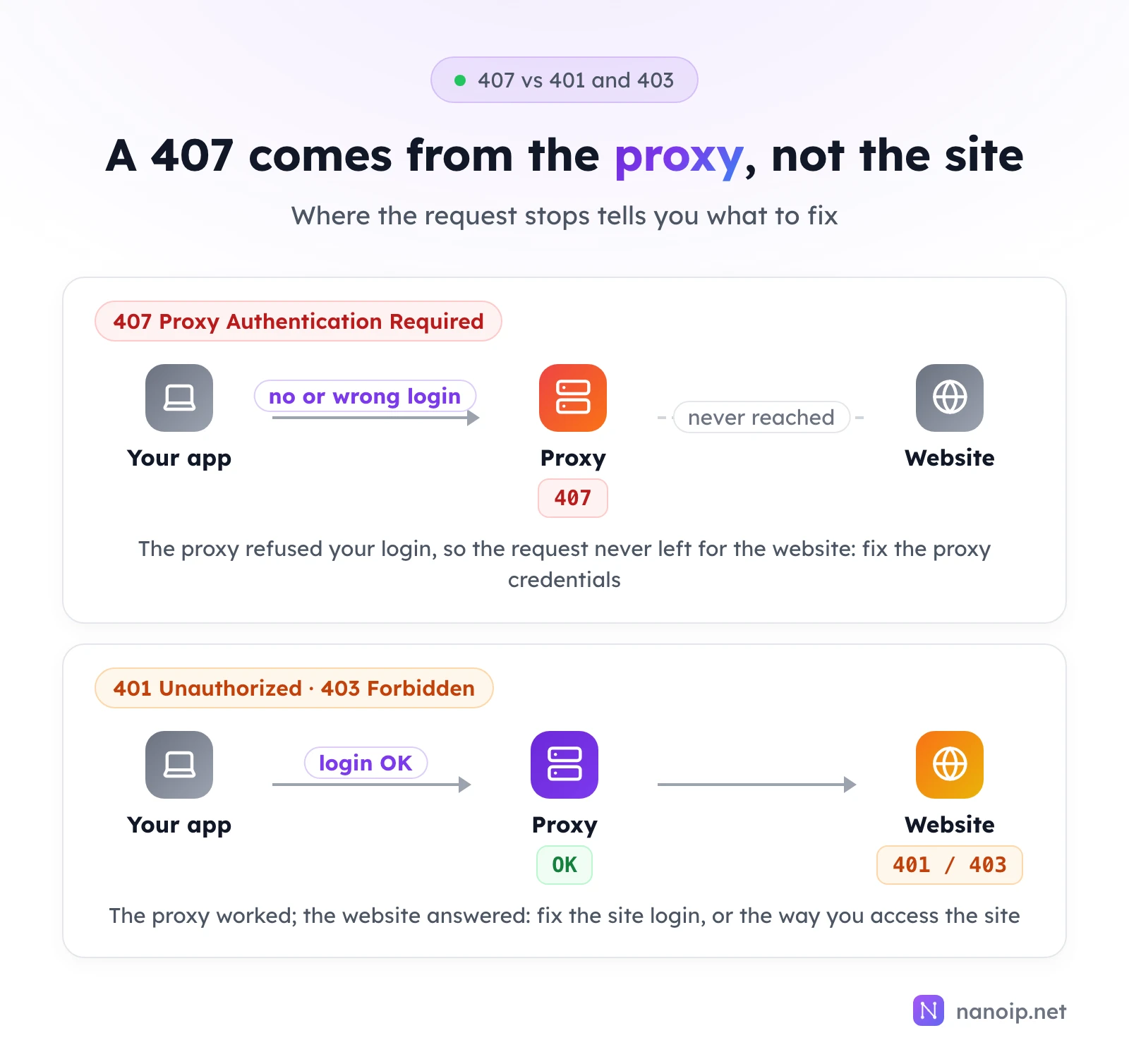
HTTP error 407 Proxy Authentication Required means the proxy server refused your request because it did not receive a valid username and password. The website was never contacted: the problem is between your app and the proxy. In most cases the credentials are mistyped, missing because the tool does not send them, or broken by special characters in a proxy URL. Copy the username and password again from your proxy dashboard, URL-encode any special characters, and check that your tool supports proxy authentication.
What a 407 error means
When a proxy requires a login, it checks every request for a Proxy-Authorization header. If the header is missing or the credentials are wrong, it answers with status 407 and a Proxy-Authenticate header that names the login method it accepts, usually Basic. Your app is expected to retry with the right credentials; when it has none, or the ones it has are wrong, the 407 is what you see.
Three status codes are easy to mix up:
| Code | Sent by | Means | Fix |
|---|---|---|---|
| 407 Proxy Authentication Required | The proxy | Your proxy login is missing or wrong | Proxy username, password and tool settings |
| 401 Unauthorized | The website | Your login to the website is missing or wrong | Your account on the site |
| 403 Forbidden | The website (or the proxy, for a blocked request) | The request was understood and refused | The site's access rules, or your request rate |
If you see a 401 or 403 instead, the proxy login worked and the request reached the site.
What a 407 looks like in your tools
curl
For an https:// site, curl asks the proxy to open a tunnel, and the 407 stops it there:
curl -x http://HOST:PORT https://example.com
curl: (56) CONNECT tunnel failed, response 407
With -v you can see the exchange. This one sent a wrong password:
> CONNECT example.com:443 HTTP/1.1
> Host: example.com:443
> Proxy-Authorization: Basic dXNlcjp3cm9uZw==
>
< HTTP/1.1 407 Proxy Authentication Required
< Proxy-Authenticate: Basic realm="proxy"
* CONNECT tunnel failed, response 407
For a plain http:// site there is no tunnel, so curl prints the proxy's 407 response as the result instead of an error.
Python
Python's http.client, which requests builds on, raises Tunnel connection failed: 407 Proxy Authentication Required for https:// sites; requests reports it as a ProxyError. For http:// sites, requests returns a response with status_code 407.
Browsers and fingerprint browsers
Browsers usually show a login prompt for the proxy, or an error page if you cancel it. Fingerprint browsers and automation tools typically report a failed proxy check when you test the profile's proxy.
How to fix a 407, cause by cause
1. The username or password is wrong
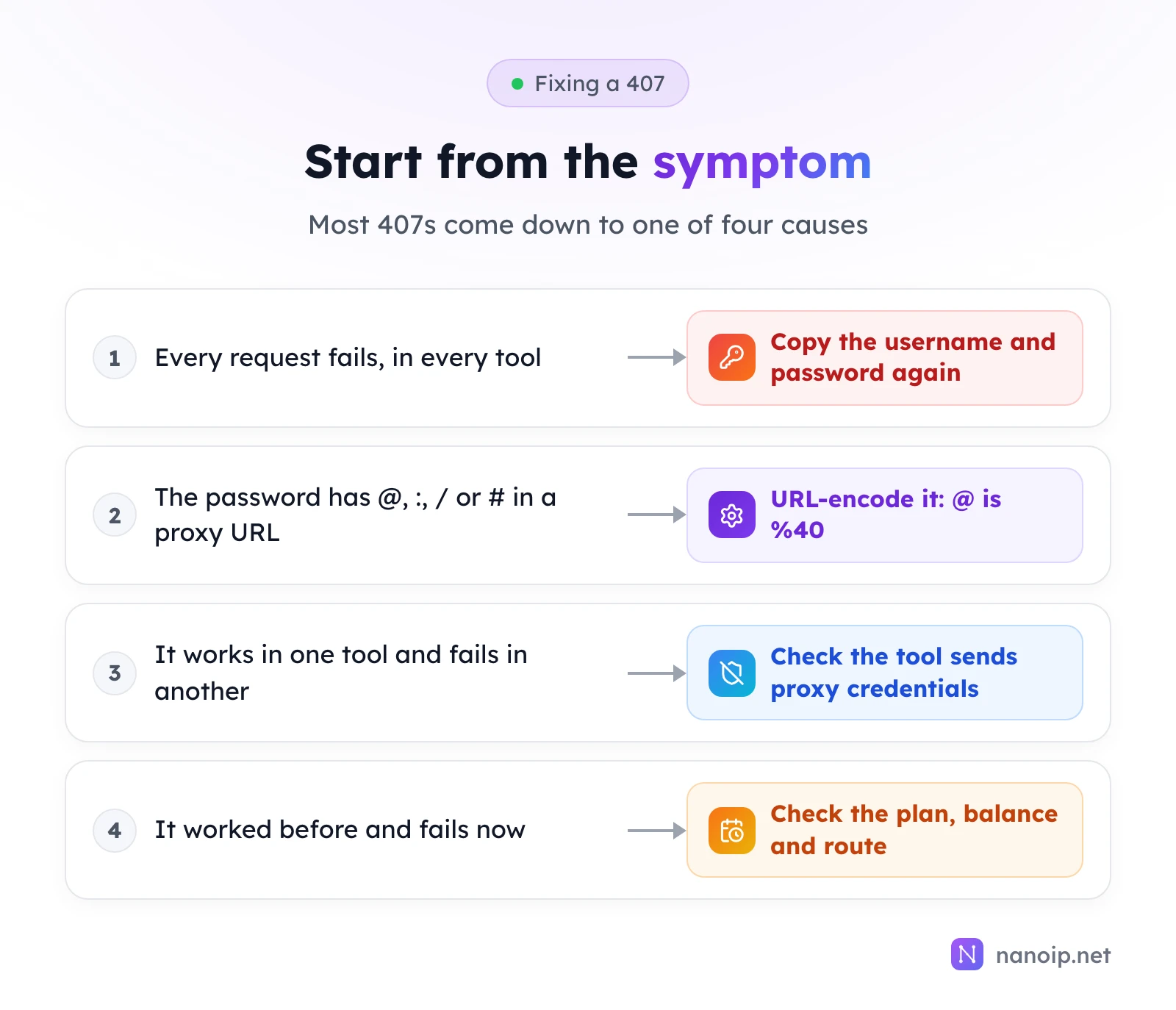
The most common cause by far. Typical slips:
- A space or line break copied with the password.
- The username and password swapped, or pasted into the wrong fields.
- Credentials from an older route or another product.
Copy both values again from the dashboard. With NanoIP, residential and mobile credentials belong to the route you generated in Dynamic Routes, and each ISP IP has its own username and password in the ISP Proxies list. Every connection must carry them: there is no IP whitelist, so a tool set to "IP authentication" or "whitelist" mode sends no login and gets a 407.
2. Special characters break the proxy URL
Libraries and command-line tools take the proxy as one URL, http://USERNAME:PASSWORD@HOST:PORT. If the password contains @, :, / or #, the tool splits the URL in the wrong place and sends a wrong login, or fails to read the address at all. Our test with the password p@ss:word gave curl a malformed address:
curl: (5) Unsupported proxy syntax in 'http://user:p@ss:word@127.0.0.1:18407': Port number was not a decimal number between 0 and 65535Encode the special characters and the same login works:
| Character | Encoded |
|---|---|
@ | %40 |
: | %3A |
/ | %2F |
# | %23 |
% | %25 |
So p@ss:word becomes p%40ss%3Aword in the URL. Tools with separate username and password fields do not need encoding.
3. The tool does not send proxy credentials
Some ways of setting a proxy have no place for a username and password:
- Chrome's
--proxy-serverflag takes only a host and port. Chrome then asks for the login in a prompt, which an automated browser cannot answer. In automation, use the framework's proxy login option (Playwright, for example, accepts a username and password with the proxy) or a tool that handles proxy logins for you. - SOCKS5 in Chrome's own proxy settings does not support a username and password at all. Use HTTP(S) there, or a fingerprint browser that handles SOCKS5 logins.
- Environment variables such as
HTTPS_PROXYare read by many tools but not all; a tool that ignores them connects without a proxy, or without the credentials.
If the same credentials work in curl and fail in one tool, the tool is the cause.
4. It worked before and fails now
If nothing changed on your side, check the account:
- Plan or balance. An expired ISP plan or a used-up residential or mobile package stops the proxy from accepting your connection. The dashboard shows remaining days and traffic.
- New credentials. If you generated new connection details, every tool that uses the old ones needs updating.
Test the login with curl
Isolate the proxy from your tool by testing it alone. For NanoIP residential and mobile proxies:
curl -x https://gateway.nanoip.net:1111 -U "USERNAME:PASSWORD" https://ipinfo.io/jsonFor an ISP IP, use its own host and port with -x http://HOST:PORT. Passing the credentials with -U avoids URL encoding altogether. A JSON reply with the proxy's IP and country means the login works and the problem is in the tool's settings; a response 407 means the credentials themselves are wrong. The getting started guide shows where to find each value.
Frequently asked questions
Is a 407 error my fault or the proxy provider's?
Almost always a setting on your side: the credentials, the way the tool sends them, or the account balance. If curl with freshly copied credentials still returns 407, contact the provider.
Can IP whitelisting stop 407 errors?
Some providers let you whitelist your own IP instead of sending a password. NanoIP authenticates every connection by username and password only, which works the same from any network and any device.
Why do I get 407 only for HTTPS sites?
For HTTPS sites the tool opens a tunnel first, and some tools send the proxy credentials with normal requests but not with the tunnel request. Update the tool, or switch to one that sends Proxy-Authorization on CONNECT as well.
Does a 407 use up traffic?
The request stops at the proxy before reaching any website, so no page is loaded through the proxy.