
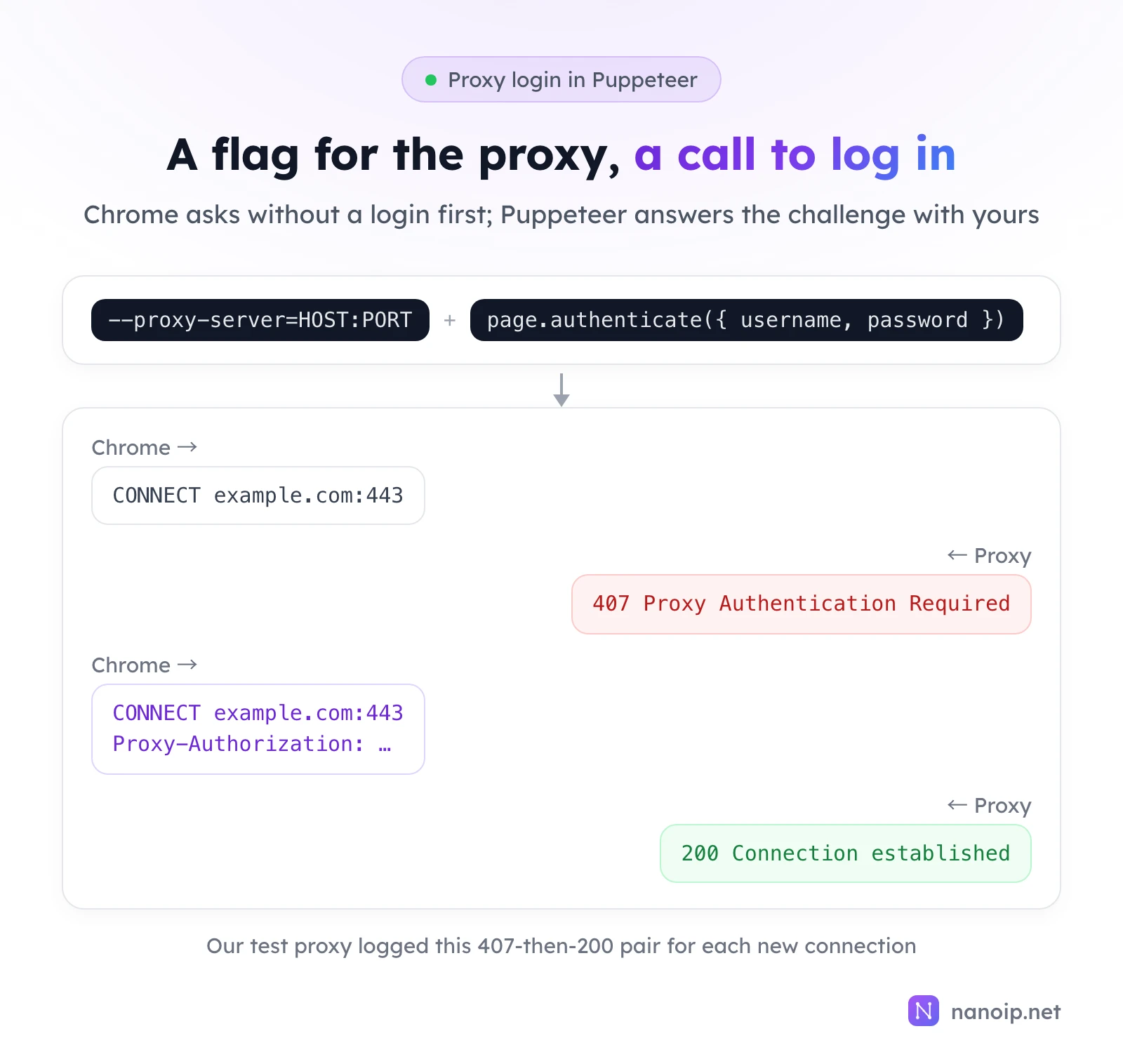
To use a proxy in Puppeteer, pass Chrome the --proxy-server=HOST:PORT flag when you launch, then call page.authenticate({ username, password }) on each page before it loads anything. The flag cannot carry a login: Chrome rejected a proxy URL with credentials in it in our test. For several proxies in one browser, create a browser context per proxy with createBrowserContext({ proxyServer }). Use HTTP or HTTPS proxies: Chrome does not log in to SOCKS5 proxies.
Before you start
npm install puppeteerpuppeteer downloads a matching Chrome on install. The examples are ES modules (.mjs files) with top-level await.
Set a proxy for the whole browser
Save this as launch.mjs and run it with node launch.mjs:
import puppeteer from 'puppeteer';

const browser = await puppeteer.launch({
  args: ['--proxy-server=HOST:PORT'],
});

const page = await browser.newPage();
await page.authenticate({ username: 'USERNAME', password: 'PASSWORD' });
await page.goto('https://ipinfo.io/json');
console.log(await page.$eval('body', (body) => body.innerText));
await browser.close();
It prints the exit IP as JSON with its country, city and org. Three details:
- Call
authenticate()beforegoto(), on every page that uses the proxy. Without it, our test failed withnet::ERR_INVALID_AUTH_CREDENTIALS. - Keep the login out of the flag.
--proxy-server=http://USERNAME:PASSWORD@HOST:PORTfailed withnet::ERR_NO_SUPPORTED_PROXIES. - Write the scheme for HTTPS proxies.
HOST:PORTalone means an HTTP proxy; for a proxy you reach over TLS, use--proxy-server=https://HOST:PORT.
The login has its own fields, so special characters in the password need no encoding.
Give each browser context its own proxy
A browser context is an isolated session with its own cookies and storage, like a separate profile. Passing proxyServer to createBrowserContext() gives each context its own proxy inside one browser. Each page still logs in with authenticate(). This is contexts.mjs:
import puppeteer from 'puppeteer';

const proxies = [
  { server: 'http://HOST_1:PORT_1', username: 'USERNAME_1', password: 'PASSWORD_1' },
  { server: 'http://HOST_2:PORT_2', username: 'USERNAME_2', password: 'PASSWORD_2' },
];

const browser = await puppeteer.launch();

for (const proxy of proxies) {
  const context = await browser.createBrowserContext({ proxyServer: proxy.server });
  const page = await context.newPage();
  await page.authenticate({ username: proxy.username, password: proxy.password });
  await page.goto('https://ipinfo.io/ip');
  console.log(proxy.server, '→', (await page.$eval('body', (body) => body.innerText)).trim());
  await context.close();
}

await browser.close();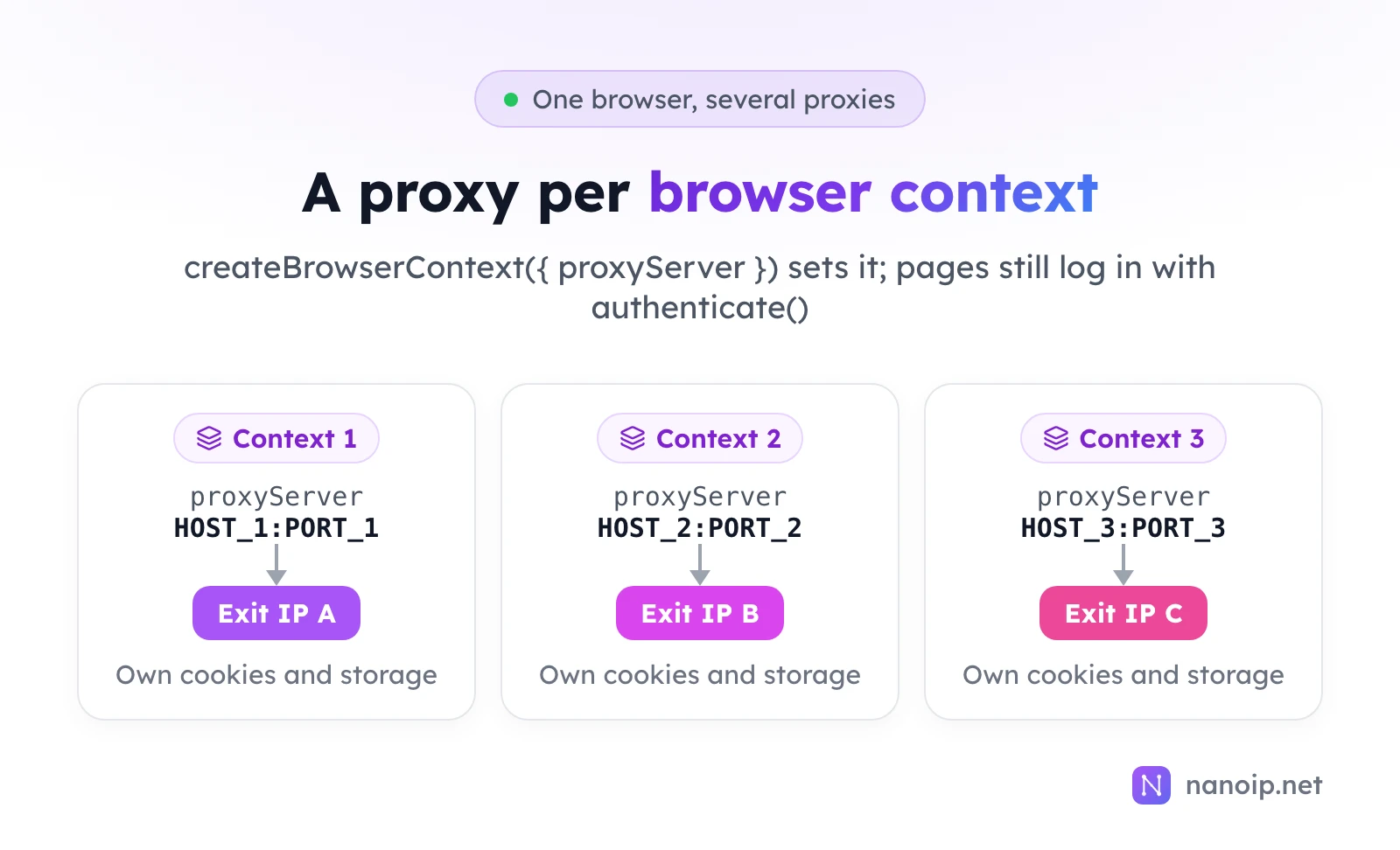
To send some hosts around the proxy, add --proxy-bypass-list=localhost;internal.example to the launch arguments (semicolon-separated); in our test a bypassed site loaded even with the proxy pointed at a closed port.
Check the result, not just for exceptions
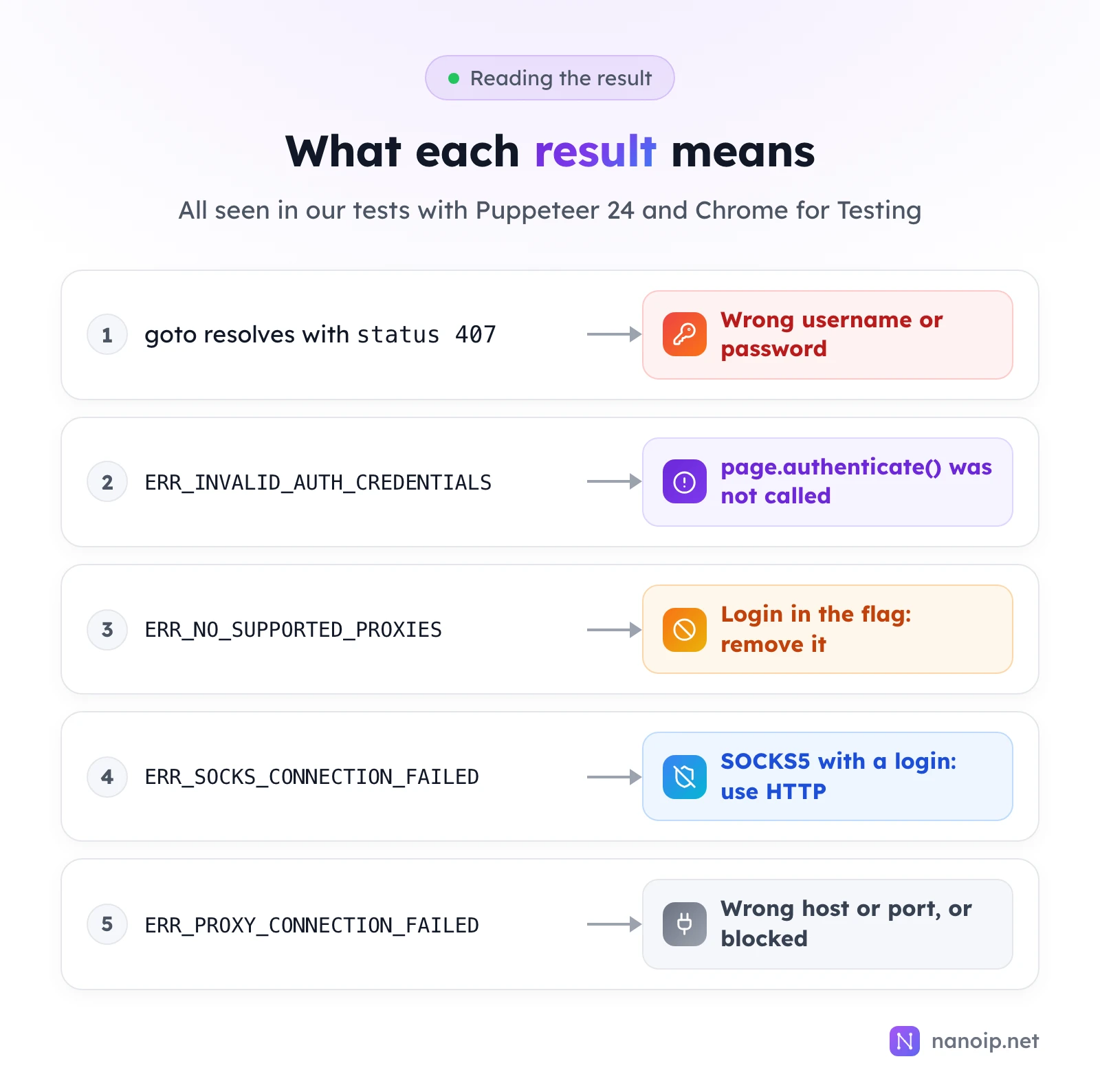
The most surprising result: with a wrong password, page.goto() did not throw. It resolved, and response.status() was 407. A script that only catches exceptions will carry on with a page that never loaded. Check the status:
const response = await page.goto('https://ipinfo.io/json');
if (response.status() === 407) {
  throw new Error('The proxy rejected the username or password');
}
The other failures throw errors you can match on:
| Error | Cause |
|---|---|
net::ERR_INVALID_AUTH_CREDENTIALS | No login was given; call page.authenticate() before goto() |
net::ERR_NO_SUPPORTED_PROXIES | The login was put in --proxy-server; move it to authenticate() |
net::ERR_SOCKS_CONNECTION_FAILED | A SOCKS5 proxy that needs a login (see below) |
net::ERR_PROXY_CONNECTION_FAILED | Wrong host or port, or your network blocks the connection |
To rule out the login itself, test the same proxy with curl; how to use curl with a proxy shows the command, and proxy not working covers the other causes.
Why SOCKS5 with a login fails
Our SOCKS5 test proxy logged what Chrome offered at the start of the connection: only the "no login" method. Chrome never sends a SOCKS5 username and password, so page.authenticate() cannot help. For proxies that need a login, use HTTP or HTTPS. The same limit applies to Playwright; see how to use a proxy in Playwright.
Mind background traffic on per-GB plans
Through our test proxy, Chrome also opened connections of its own to Google services while the script ran. On a proxy billed by traffic, that traffic counts too. It is small next to real pages, but in long runs it adds up; keep scripts short-lived, and block requests you do not need with request interception.
Using NanoIP proxies with Puppeteer
Residential and mobile proxies
Use --proxy-server=https://gateway.nanoip.net:1111 and page.authenticate() with the login of a route from the dashboard's Dynamic Routes page. Pick a sticky session for browser work: a page loads over several connections, and a sticky route keeps all of them, and the steps after, on one IP. For parallel contexts, generate one sticky route per context. Rotating vs sticky sessions explains the choice; see residential proxies.
ISP proxies
Each ISP proxy has its own host and port. Use --proxy-server=HOST:PORT (HTTP) with the IP's username and password. The IP stays the same for the whole plan, which suits contexts that sign in to the same account every day, as in account management.
Frequently asked questions
Can I change the proxy of a running page?
No. A page uses the proxy of its browser or context. Create a new context with the new proxy.
Does page.authenticate() apply to other pages?
No. Call it on every page that goes through a proxy needing a login, including pages opened later in the same context.
Puppeteer or Playwright for proxies?
Both work. Playwright takes the login in its proxy option and sets proxies per context in one call; Puppeteer needs the flag or proxyServer plus authenticate() on each page. Neither logs in to SOCKS5.