
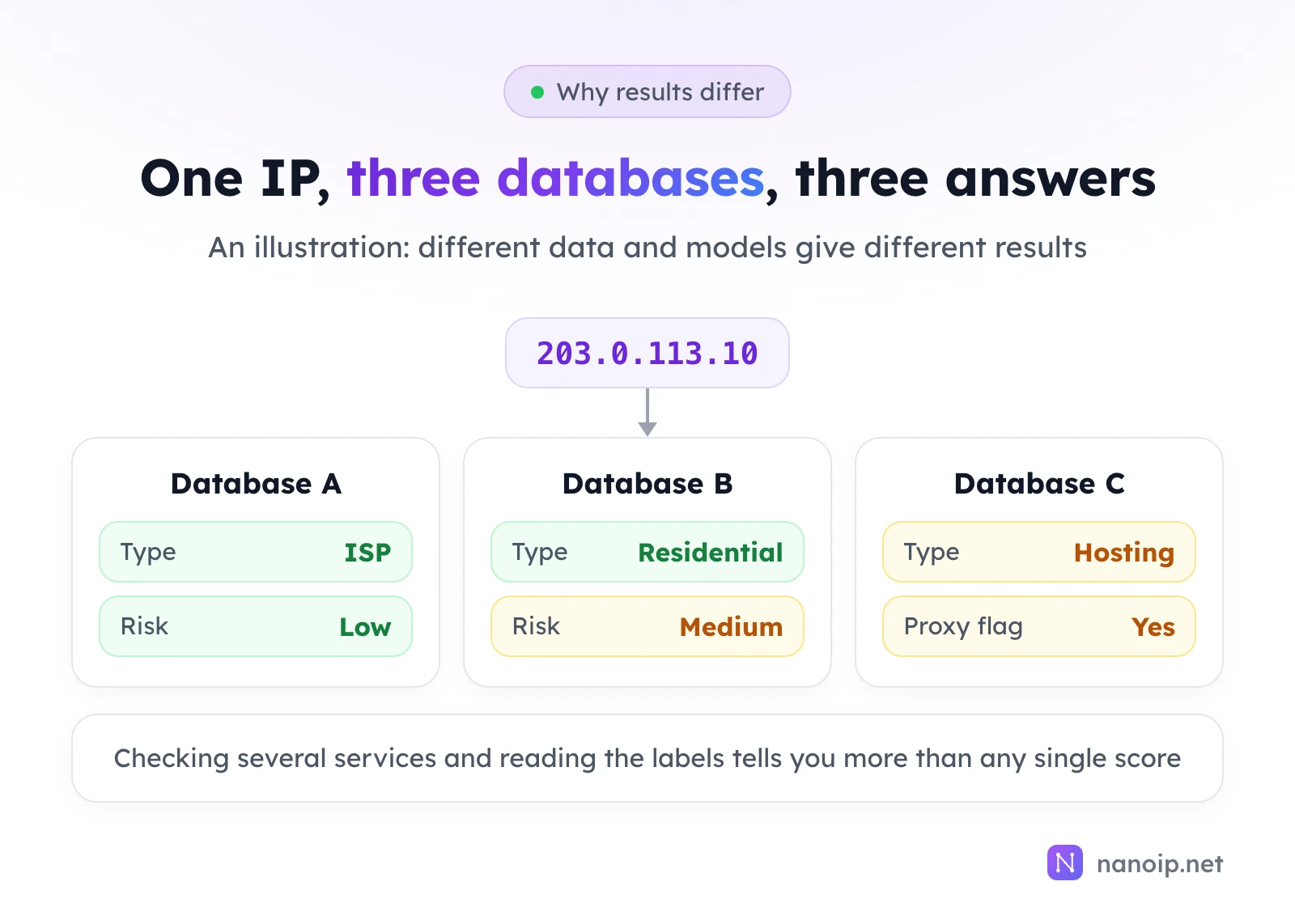
An IP fraud score is a number, usually from 0 to 100, that an IP data service calculates to estimate how risky an IP address is: the higher the score, the more the service's data links that IP to proxies, abuse or fraud. It is one company's opinion, built from what that company knows about the IP: its type, whether it is a known proxy or VPN exit, and its history of abuse reports. Different services often give the same IP very different scores, so check two or three and read their labels rather than relying on one number.
What an IP report tells you
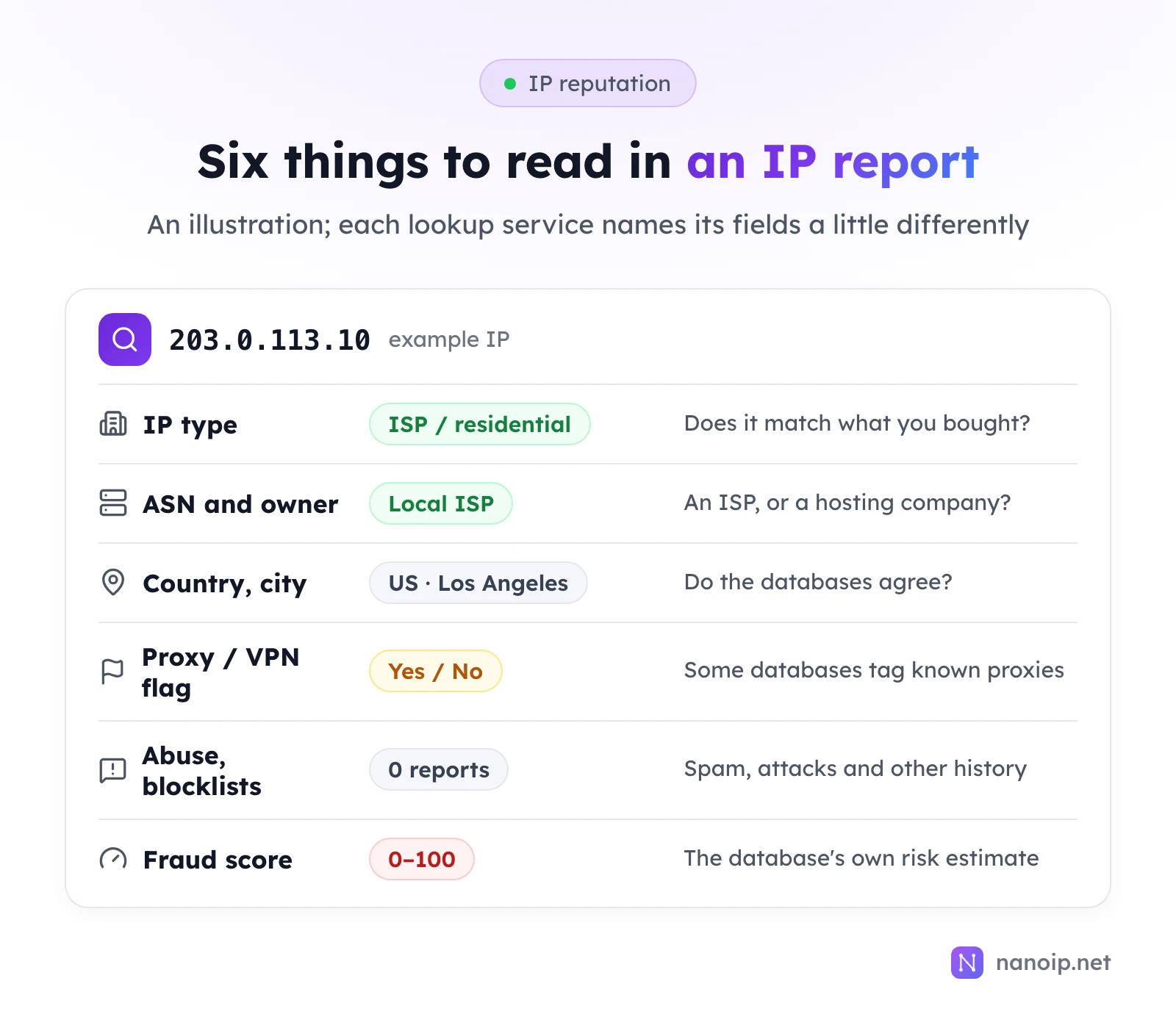
People call the overall picture an IP's reputation. It comes down to six fields:
| Field | What it means | What to look for |
|---|---|---|
| IP type | Whether the database classes the IP as ISP, residential, mobile or hosting | That it matches what you bought |
| ASN and owner | The network the IP belongs to and the company behind it | An internet provider, or a cloud and hosting company |
| Country and city | Where the database places the IP | That several databases agree, and it is the location you need |
| Proxy or VPN flag | Some databases tag IPs they know to be proxy or VPN exits | Useful to know; a flag alone is not a problem |
| Abuse reports and blocklists | Recorded spam, attacks, fake sign-ups | Recent reports |
| Fraud score | The service's own risk estimate from all of the above | The risk level it falls in, not the exact number |
Proxy basics explains IP types and ASNs in more detail.
How fraud scores are calculated
There is no official fraud score. Each IP data company builds its own model, usually from:
- IP type and network: hosting IPs tend to score higher than ISP and residential ones.
- Proxy and VPN tags: known proxy or VPN exits score higher.
- Abuse reports: spam, credential stuffing, attacks.
- The company's own data: some sell risk checks to shops, payment and sign-up services and learn from the fraud those customers report.
So fraud scores differ between services (different data, different models), change over time (old reports expire, new ones arrive), and are estimates (a high score means "worth a look", not proof that the IP did anything wrong).
Services to check an IP with
| Service | Best for | Notes |
|---|---|---|
| ipinfo.io | IP type, ASN, owner, location | The quickest way to see who an IP belongs to and where it is |
| Scamalytics | Fraud score and risk level | Widely used for a quick fraud score |
| IPQualityScore | Fraud score, proxy and VPN flags | More fields; free lookups are limited |
| AbuseIPDB | Abuse reports | Shows whether the IP has been reported for attacks or spam |
Use at least two: one for type and ownership, one for a fraud score.
How to check a proxy IP
- Find the exit IP. In the browser profile or tool that uses the proxy, open an IP lookup site: the IP it shows is the one websites see. Looking up the proxy's host address instead can mislead you: with a rotating proxy you connect to a gateway, which is not the exit IP.
- Look it up in two or three services. Note the type, owner, location, fraud score and any proxy flag.
- Compare with what you bought. A static ISP proxy should show a local internet provider in the country you ordered; a residential proxy should show a home broadband provider.
- Write down the date. Scores change, so a dated record is what makes later comparisons meaningful.
Rotating residential and mobile proxies give you a different IP on each request or session, so checking one IP tells you little. Sample a few to get a feel for the pool instead. What is a proxy server shows where to find your connection details.
What to do if the score is high
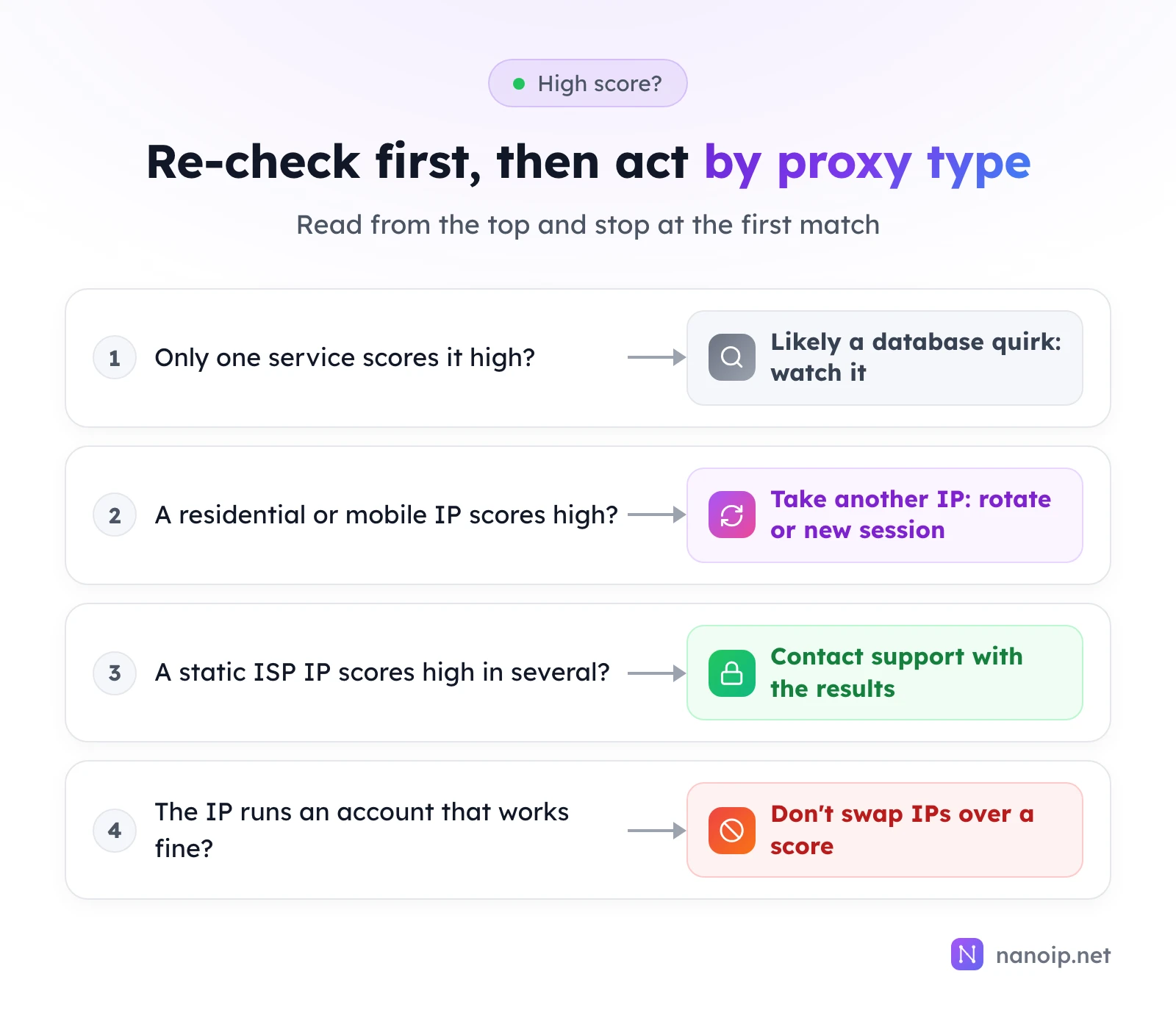
- Only one service scores it high: check two others. A single high score is common; if the rest look normal, keep watching.
- Residential or mobile proxy: take another IP. On a rotating route the next request already has one; for a sticky session, generate a new one in Dynamic Routes.
- Static ISP proxy: if several services score it high, send support the IP, the services you used and screenshots.
- An IP already running an account: if the account works normally, don't replace the IP because of one score. Accounts do best on one long-term IP, and changing it often tends to bring extra verification. See rotating vs sticky sessions for how IP changes affect sign-ins.
Three common misconceptions
"A score of 0 means nothing can go wrong"
The score covers the network layer only. Whether an account stays in good standing also depends on a consistent sign-in environment, normal activity and following the platform's rules.
"One service is enough"
Services disagree all the time. Relying on one can make you discard a good IP over one high score, or miss a flag that another service shows.
"Shared and dedicated IPs score the same"
A shared IP's record is written by everyone using it. A dedicated IP's record during your plan comes only from you. For long-term work such as account management, use dedicated IPs; dedicated vs shared proxies explains the difference.
NanoIP IPs
- ISP proxies: every IP is a native IP registered to a local internet provider in its country, dedicated to you, and unchanged for the whole plan. Check its type, owner and location yourself with the steps above.
- Residential proxies: exit IPs come from real home broadband connections in a large rotating pool; if one scores high, move to the next.
Frequently asked questions
What is a good IP fraud score?
There is no universal threshold. Each service defines its own levels, such as low, medium and high risk. Look at the level and compare it across services rather than aiming for a specific number.
Why did the score change since last week?
Databases update constantly: reports expire, new data arrives, and the models themselves change. A change on its own is normal; a steady rise is worth watching.
Are free lookups accurate?
Free lookups usually draw on the same data as paid APIs, with fewer fields and a daily limit. For checking an IP's type, owner and rough risk, they are enough.