
A dedicated proxy is an IP that only you use for the whole plan; a shared proxy is an IP that several customers use at the same time. Sharing lowers the price, but it also means sharing the IP's speed and its history: whatever another customer does through it affects how sites treat it. Choose dedicated IPs for anything you sign in to, such as accounts, stores and ad accounts, and a rotating pool for collecting public data. NanoIP ISP proxies are dedicated: each IP is yours alone for 30, 180 or 360 days.
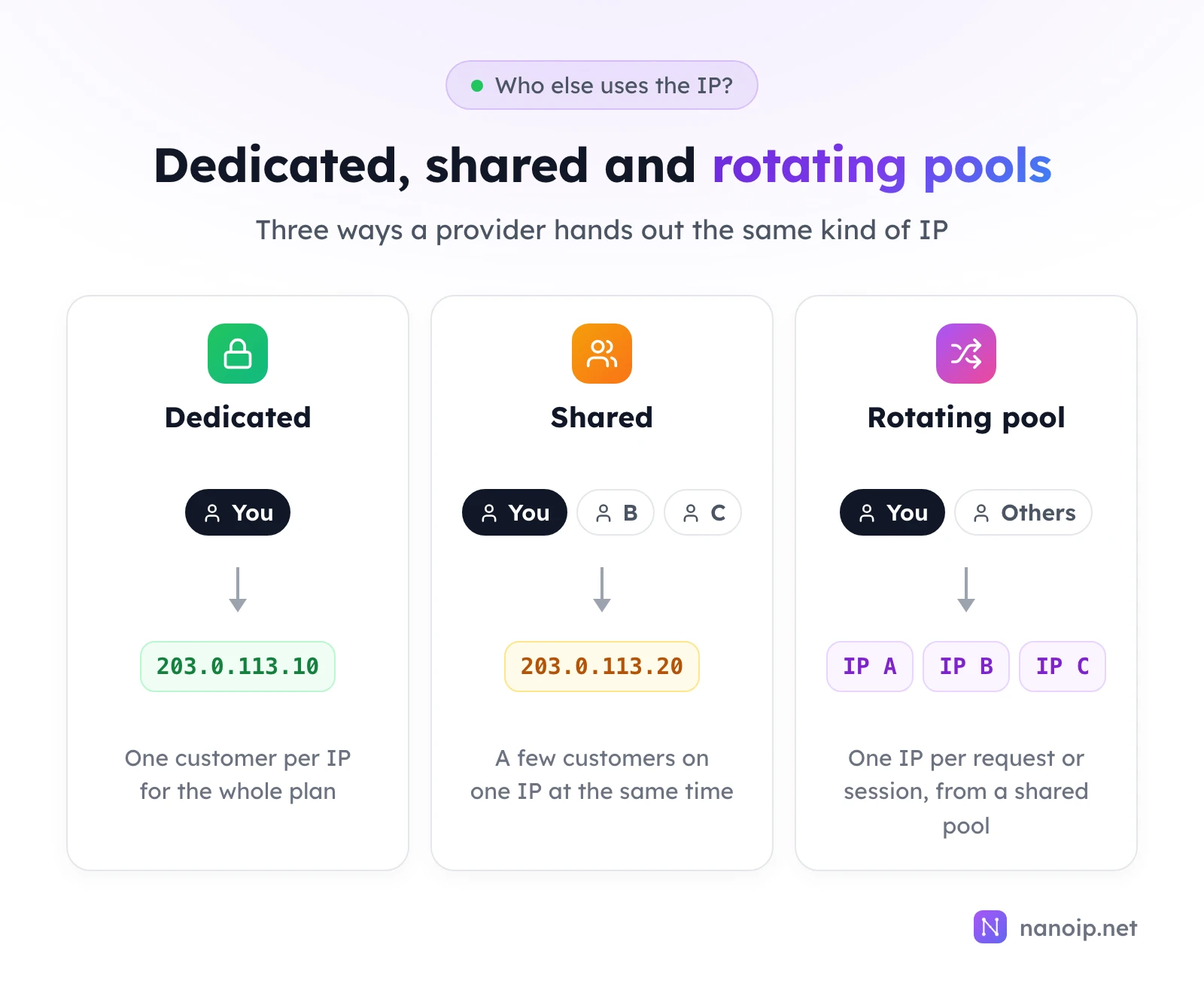
Three ways providers allocate IPs
Dedicated (private) proxies
A dedicated IP is assigned to one customer for the length of the plan. Nobody else sends traffic through it while it is yours. Providers also call these private proxies. Static ISP proxies are usually sold this way, per IP and per month.
Shared proxies
A shared IP is assigned to a small group of customers at the same time. Each of them has their own credentials, but all their traffic leaves from the same address. "Semi-dedicated" usually means the same thing with a small, fixed number of users, often two or three. The price per IP drops roughly in proportion to the number of users.
Rotating pools
Residential and mobile proxies work differently again. You do not get an IP of your own; each request, or each sticky session, borrows an IP from a large pool that many customers draw from over time. The pool is shared, but at any moment your request is on one IP chosen for it. This model trades a fixed identity for a very large number of IPs, which suits web scraping and price monitoring.
What sharing an IP changes
| Dedicated | Shared | |
|---|---|---|
| Who uses the IP | Only you, for the whole plan | You and other customers at the same time |
| IP history | Built by your own use during the plan | Built by everyone on it, including people you do not know |
| Bandwidth | All of the IP's bandwidth is yours | Split between the users |
| Accounts on the IP | Only your own | Other customers' accounts on the same sites may sit on the same IP |
| Price per IP | Higher | Lower |
| Suits | Accounts, stores, ad accounts, long sessions | Short tests and public pages on a tight budget |
The row that matters most is history. Sites keep records of the IPs they see: sign-ins, abuse reports, unusual volumes. On a shared IP, those records mix your activity with that of strangers, and if one of them breaks a site's rules, the IP can be rate-limited or asked for extra verification for everyone on it. On a dedicated IP, the record built during your plan is your own.
The accounts row matters for the same reason. If several customers manage accounts on the same marketplace through one shared IP, that marketplace sees unrelated accounts on one address. For account management, each account environment should have an IP that nobody else uses.
When each one makes sense
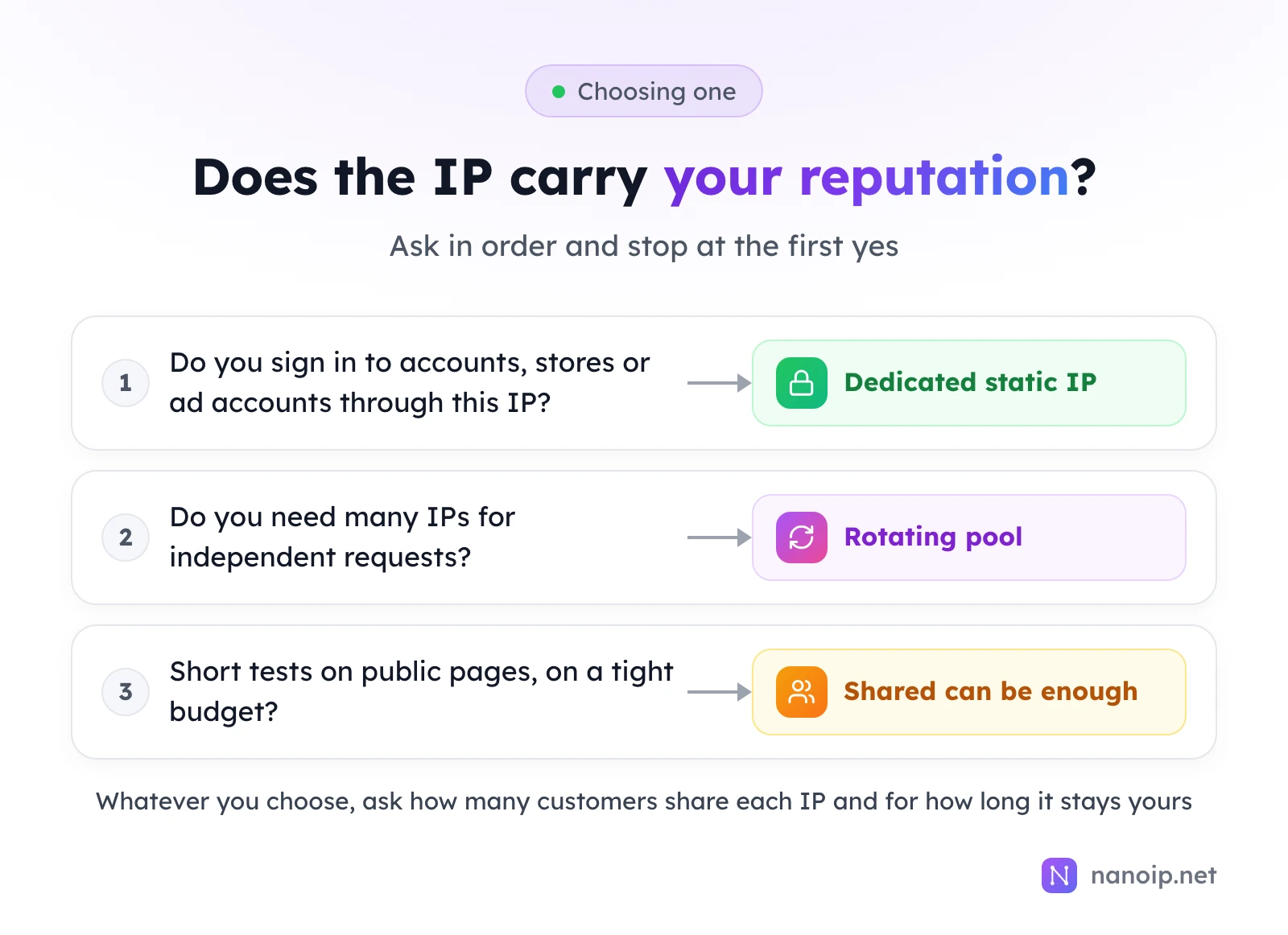
- Choose dedicated when the IP carries something of yours over time: a seller account, a social profile, an ad account, a store's admin panel. These stay on one IP for weeks, so the IP's history becomes part of the account's history.
- Choose a rotating pool when you need many IPs and each request stands alone, such as checking prices or collecting search results. No single IP needs to be yours, and a pool gives you far more addresses for the money.
- Shared can be enough for occasional, light work on public pages, such as checking a landing page from another country, where nothing is signed in and the IP's history does not matter.
Questions to ask before you buy
Whatever a plan is called, these five questions tell you what you are actually getting:
- How many customers use each IP at the same time? "Private" and "dedicated" should mean one. If the answer is a number, it is a shared plan.
- Is the IP yours for the whole term? A dedicated IP should not be reassigned or rotated during the plan without your request.
- Can you renew and keep the same IP? For accounts, keeping the address across renewals matters as much as having it alone.
- What happens when the plan lapses? Usually the IP goes back to the provider and may go to another customer. Renew on time if an account depends on it.
- What comes with each IP? Bandwidth, protocols, UDP and device limits vary by provider. The guide to choosing ISP proxies covers them one by one.
How NanoIP proxies are allocated
| Product | Allocation | How long an IP is yours |
|---|---|---|
| ISP proxies | Dedicated: one customer per IP | 30, 180 or 360 days; renew to keep the same IP |
| Residential proxies | Rotating pool, 100M+ IPs | One request, or a sticky session of 1 to 120 minutes |
| Mobile proxies | Rotating pool on carrier networks | One request, an interval, or a sticky session |
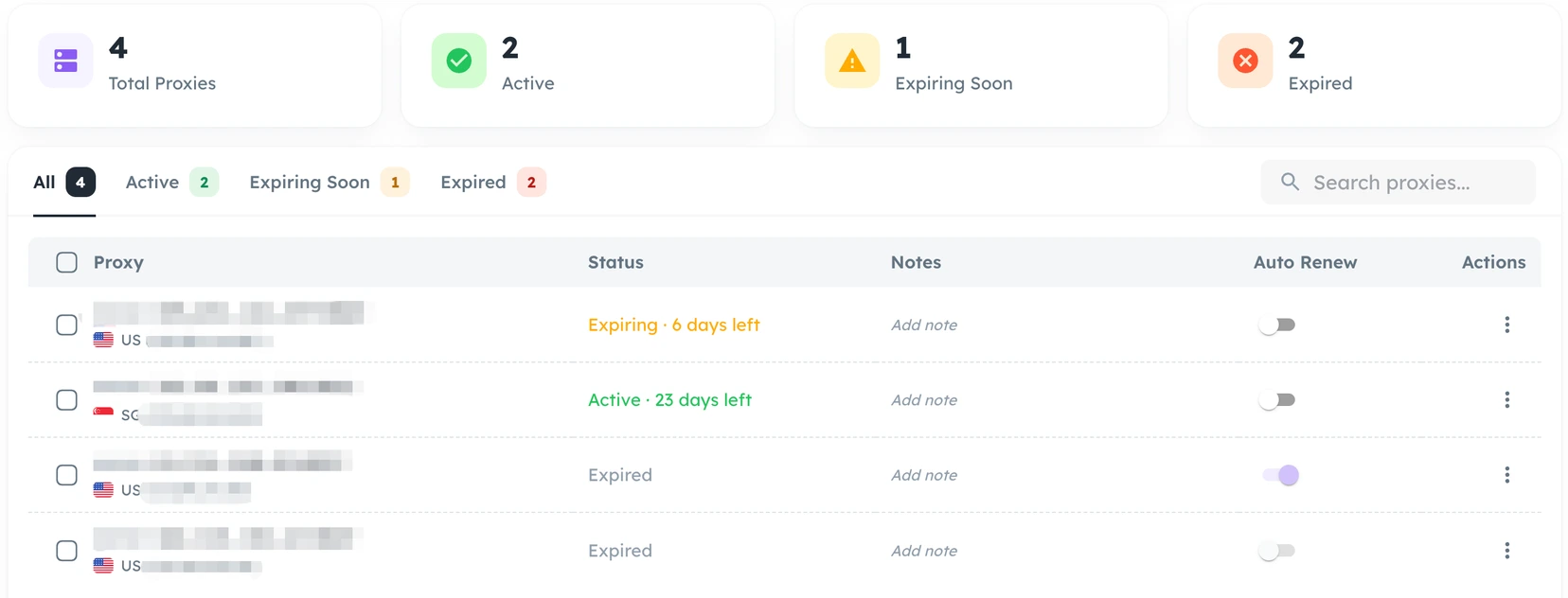
NanoIP currently sells dedicated ISP plans only. Each ISP IP is registered to a local ISP in its country and comes with HTTP, HTTPS and SOCKS5 and no device limit. When a plan lapses, the IP is released and may be assigned to another customer, so renew before the end date to keep it. In the dashboard, the ISP Proxies list shows each IP's remaining days and an auto-renew switch.
Frequently asked questions
Is a dedicated proxy a "clean" IP?
Dedicated means nobody else uses the IP while it is yours. It does not erase what happened before your plan. Look the IP up in an IP database when you receive it to check its registered provider and location, and contact the provider if anything does not match what you bought.
Are residential proxies shared?
The pool is shared: many customers draw IPs from it over time. Each request or sticky session uses one IP at a time, and you never hold an IP for longer than the session. For an IP of your own, use a dedicated ISP proxy.
Is a dedicated proxy faster than a shared one?
Usually, because you do not split the IP's bandwidth with other users. The bigger factors are still the provider's network and the distance to the site.