
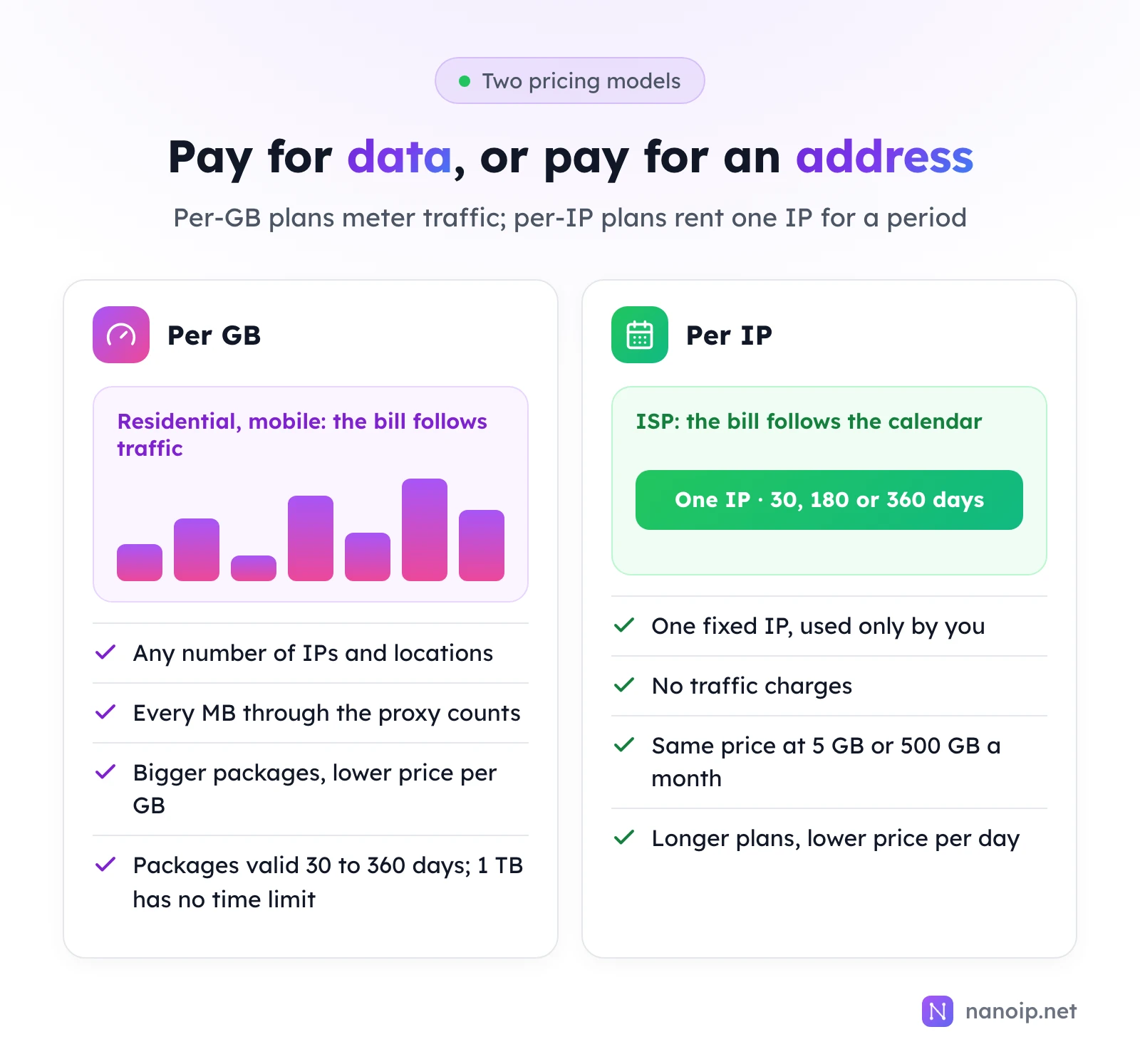
Per-GB pricing charges for the traffic you send through the proxy, however many IPs it uses; per-IP pricing charges a fixed amount for one address for a set period, however much traffic it carries. Per-GB is cheaper when you need many IPs that each move little data, such as price checks and search results. Per-IP is cheaper when one address carries a lot of traffic or stays signed in every day, such as a store or an ad account. NanoIP residential and mobile proxies are billed per GB, from $0.82/GB and $1.20/GB; ISP proxies are billed per IP, from $10.20/IP for 30 days with no traffic charges.
How the two models work
Per GB: you pay for traffic
Residential and mobile proxies are sold as traffic packages. You buy an amount of data, and every request through the proxy deducts what it transfers. How many IPs you use, how often they rotate and how many locations you target do not change the price.
On NanoIP, packages run from 1 GB to 500 GB and stay valid for 30 to 360 days depending on size; 1 TB packages have no time limit. Larger packages come with a lower price per GB, so the cheapest rate goes to buyers who can use a large package before it expires.
Per IP: you pay for an address
ISP proxies are sold per IP and per period. You rent one static address, and it is yours until the plan ends, whatever you send through it. On NanoIP, an ISP IP is sold for 30, 180 or 360 days, longer plans cost less per day, and there are no traffic charges. Renewing keeps the same IP.
Other models you will see
Some providers sell residential proxies by time instead of traffic, for example a fixed number of ports or threads with unlimited data, and scraping APIs often charge per successful request. These suit high, steady volumes on a single site. NanoIP sells the two models above.
Step 1: estimate your traffic
Per-GB pricing is only cheap if you know your GB. Work it out from the pages you load:
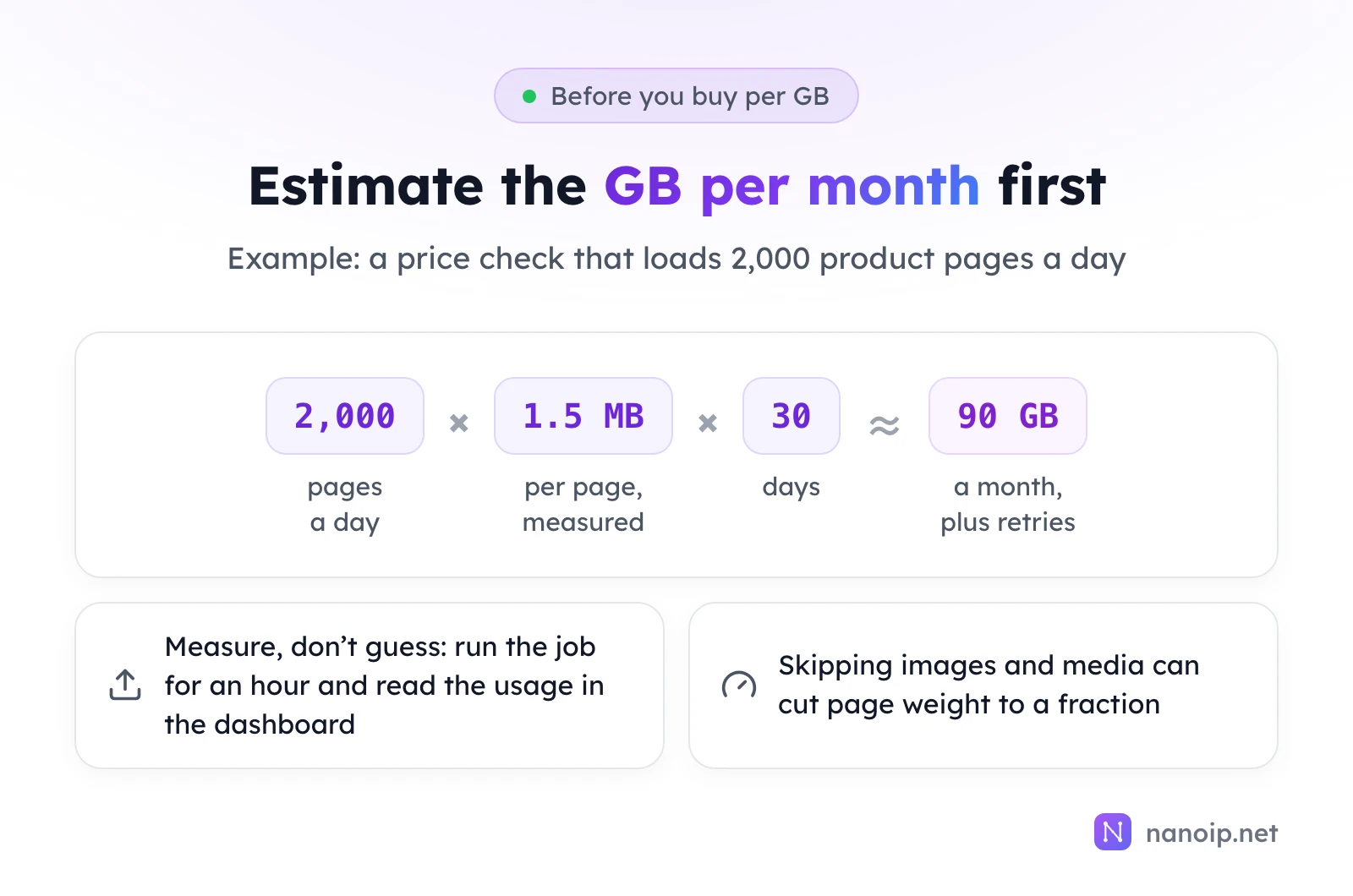
- Count the requests. How many pages, API calls or searches does the job make in a day?
- Measure the weight of one. Open the page in your browser's developer tools with the network tab, or run the job through the proxy for an hour and check how much traffic it used. The usage entry in the dashboard shows the remaining balance of each package.
- Multiply out to a month and add a margin for retries and failed requests.
What you load matters as much as how often. A full product page with images, scripts and fonts weighs many times more than its HTML alone, and an API response weighs less still. Scrapers that skip images and media, reuse connections and accept compressed responses use a fraction of the traffic of a full browser.
Step 2: compare the real cost
What per-GB plans really cost
- The package you will actually use. The headline price per GB is for the largest packages. If you cannot use 500 GB before it expires, compare the price of the package you will finish.
- Expiry. Unused traffic expires with the package, except on packages with no time limit.
- Retries and failures. Requests that time out or are refused still move some data. A job with a high retry rate costs more than its successful pages suggest.
What per-IP plans really cost
- What the IP includes. A low price per IP can come with a traffic cap, a slow bandwidth tier, or UDP and SOCKS5 sold as add-ons. The guide to choosing ISP proxies lists the six limits to check.
- The plan length. Longer plans cost less per day but commit you for longer.
- Idle IPs. An IP you rent for an account you only open once a week costs the same as one used all day.
Where the two meet
For one address used every day, you can work out the traffic at which the two models cost the same: divide the price of one ISP IP for 30 days by the price per GB of the package you would buy. Below that monthly traffic, per-GB costs less; above it, per-IP does. The comparison only holds when one fixed IP would do the job, though. If the work needs many IPs or rotation, per-IP is not an option however much traffic you move; and if it needs the same IP every day, a rotating per-GB pool is not either.
Which model fits your work
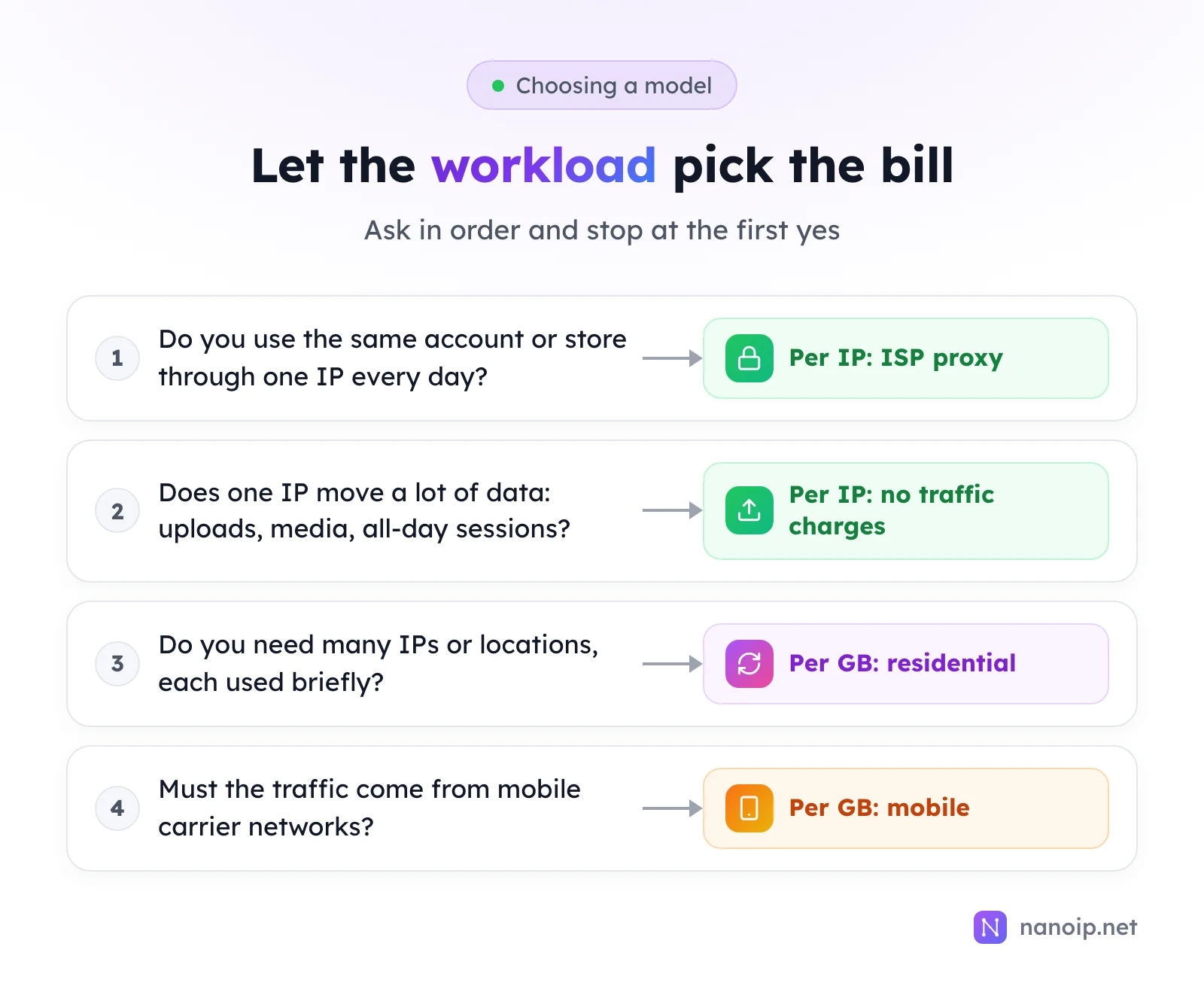
| Work | Typical traffic pattern | Cheaper model | NanoIP product |
|---|---|---|---|
| Seller center, ad account, social profile | One IP, every day, moderate traffic | Per IP | ISP proxies |
| Uploading listings and media, long sessions | One IP, heavy traffic | Per IP | ISP proxies |
| Price and stock checks | Many IPs, light traffic each | Per GB | Residential proxies |
| Search result and ad checks by location | Many locations, light traffic | Per GB | Residential proxies |
| Mobile app and mobile ad checks | Carrier IPs, light traffic | Per GB | Mobile proxies |
Many teams end up with both: a handful of ISP IPs for the accounts they run every day and a residential package for data collection. See price monitoring for a typical per-GB workload. Current prices for every package and period are on the pricing page.
Frequently asked questions
Does unused traffic carry over?
Traffic stays usable until its package expires: 30 to 360 days depending on the package size, with no time limit on 1 TB packages. Buy a size you will use within its validity.
Is there a traffic limit on per-IP ISP proxies?
No. NanoIP ISP proxies have no traffic charges for the whole plan. Fair-use rules apply only to abusive traffic patterns.
Do rotating and sticky sessions cost the same?
Yes. Both are billed by the traffic they use, from the same residential or mobile package. The session type changes how often the IP changes, not the price per GB.